
Listen to this article
How to Run PHP on Android Using KSWEB Server (Complete Step-by-Step Guide)
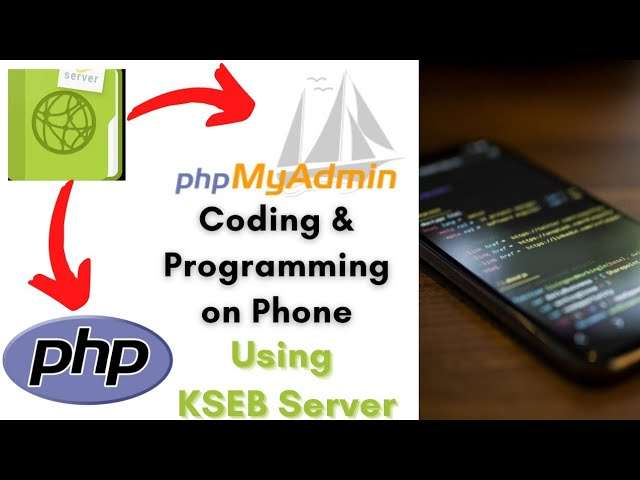
Developing web applications usually requires a computer with a local server like Apache or XAMPP. But what if you could run and test PHP applications directly on your phone?
With the help of KSWEB, you can create a full web development environment on your Android device. This powerful application allows you to run a local server, execute PHP scripts, and manage databases without needing a computer.
In this guide, you will learn how to install KSWEB Server, run PHP programs on Android, and manage databases using PhpMyAdmin.
What Is KSWEB Server?
KSWEB Server is a mobile web server environment that allows developers to run web applications on Android devices.
It includes important components such as:
- Apache web server
- PHP
- MySQL database
- PhpMyAdmin database manager
This means you can build and test full web applications directly from your phone.
Why Use KSWEB Server?
Using KSWEB provides several advantages for developers.
Develop PHP Projects Anywhere
You can run PHP scripts and test applications without carrying a laptop.
Built-In Database Management
The app includes PhpMyAdmin, allowing you to manage databases easily.
Portable Development Environment
Your entire development environment is available directly on your smartphone.
Video URL : Video Tutorial
Access Your Server via IP Address
You can even access your phone’s server through your device’s local IP address.
Step 1: Install KSWEB Server
First, download and install KSWEB from the Google Play Store.
After installation:
- Open the KSWEB application.
- Grant necessary permissions.
- Start the server services.
Once started, Apache and MySQL will begin running on your phone.
Step 2: Configure the Server
Inside KSWEB settings you can configure:
- PHP version
- Apache port
- database settings
- root directory for your projects
By default, the root directory is usually:
/htdocs
All your PHP projects should be placed inside this folder.
Step 3: Run Your First PHP Program
Now let’s test whether PHP is working correctly.
Create a file called:
test.php
Add the following code:
<?php
echo "Hello, PHP is running on Android!";
?>
Save the file inside the htdocs directory.
Open your browser and visit:
http://localhost/test.php
If everything is set up correctly, you will see your PHP message displayed on the screen.
Step 4: Access PhpMyAdmin
KSWEB also includes phpMyAdmin for database management.
To open PhpMyAdmin:
- Start the MySQL service in KSWEB
- Open your browser
- Go to:
http://localhost/phpmyadmin
From here you can:
- create databases
- create tables
- run SQL queries
- manage records
Step 5: Perform CRUD Operations
CRUD stands for:
- Create
- Read
- Update
- Delete
These operations allow you to manage data inside your database.
Example workflow:
Create
Insert new data into a table.
Read
Retrieve data using SQL queries.
Update
Modify existing records.
Delete
Remove records from the database.
Using PhpMyAdmin, you can perform all of these operations easily through the web interface.
Access Your Server from Other Devices
Another powerful feature of KSWEB is that your local server can be accessed through your phone’s local IP address.
For example:
http://192.168.x.x
This allows other devices connected to the same network to access your PHP applications.
This can be useful for:
- testing web applications
- demonstrating projects
- collaborating with teammates
Troubleshooting Common Issues
If you face problems while using KSWEB, try the following:
Server Not Starting
Ensure both Apache and MySQL services are enabled.
PHP File Not Running
Make sure the file is inside the htdocs directory.
Database Connection Error
Verify that MySQL service is running properly.
Restarting the server often resolves most issues.
Advantages of Running PHP on Android
Running PHP on your phone may sound unusual, but it offers many benefits.
- Learn web development anywhere
- Test projects quickly
- Practice coding without a computer
- Manage databases on the go
For beginners and experienced developers alike, this setup can be a powerful learning tool.
Final Thoughts
With KSWEB, you can turn your Android phone into a portable web development environment.
Whether you want to practice PHP, test applications, or manage databases, KSWEB provides a convenient solution that allows you to work anytime and anywhere.
If you're a developer looking for a flexible development setup, trying PHP on Android with KSWEB is definitely worth exploring.
Author: Rohan Yog
Website: PageAtlas

Rohan Yog
Experienced writer and tech enthusiast. Follow for more insightful articles on technology, programming, and web development.
View all articles by Rohan Yog→